

Did you know people share over 100 billion messages daily across apps, and a tiny twist like reversed letters can boost replies by a lot? I see it all the time. A simple backwards text converter grabs attention, fixes tricky formatting, and even helps test interfaces. I’ve broken a few UIs with weird scripts so you don’t have to.
In this friendly guide, I’ll show you how a backwards text converter works and where it shines. We’ll use simple words and real examples. I’ll also share mistakes to avoid so your reversed text still reads clean.
You’ll learn:
- Where reversed and mirrored strings are actually useful
- How to reverse safely with unicode and RTL support
- A fast workflow with copy paste and checks
Let’s flip some text and have fun with it!
Understanding Backwards Text Fundamentals
A backwards text converter flips the order of characters. Sounds easy, right. But real text is messy. You’ll face emojis, accents, right-to-left scripts, and grapheme clusters. If you only reverse code points, you can break letters.
Key components you should know
- Grapheme safety – Many visible characters are made of multiple code points. A good reverse text tool must treat a grapheme as a single unit.
- Unicode awareness – Accents, emoji skin tones, and ZWJ sequences should stay intact. A unicode reverser handles these.
- Directional control – RTL text support matters for Arabic and Hebrew. Correct bidi marks avoid visual chaos.
When to actually use it
- Creative posts – Mirror text generator effects can spice up captions.
- Testing layouts – Invert text to catch overflow and spacing bugs.
- Puzzles and games – Clues feel cooler when reversed.
- Privacy hints – Light obfuscation so bots don’t scrape instantly.
- Palindrome fun – Pair with a palindrome checker to spot symmetric phrases.
Common mistakes I keep seeing
- Reversing bytes instead of characters – totally breaks unicode.
- Ignoring ZWJ emoji sequences – your family emoji falls apart.
- Skipping RTL markers – Arabic looks scrambled.
- Forgetting accessibility – screen readers can become unusable if everything flips.
A Practical Workflow That Actually Works
I use this simple flow for fast and clean results. It keeps the fun while avoiding bugs.
The basic routine
- Write normally – Draft your text in a plain editor.
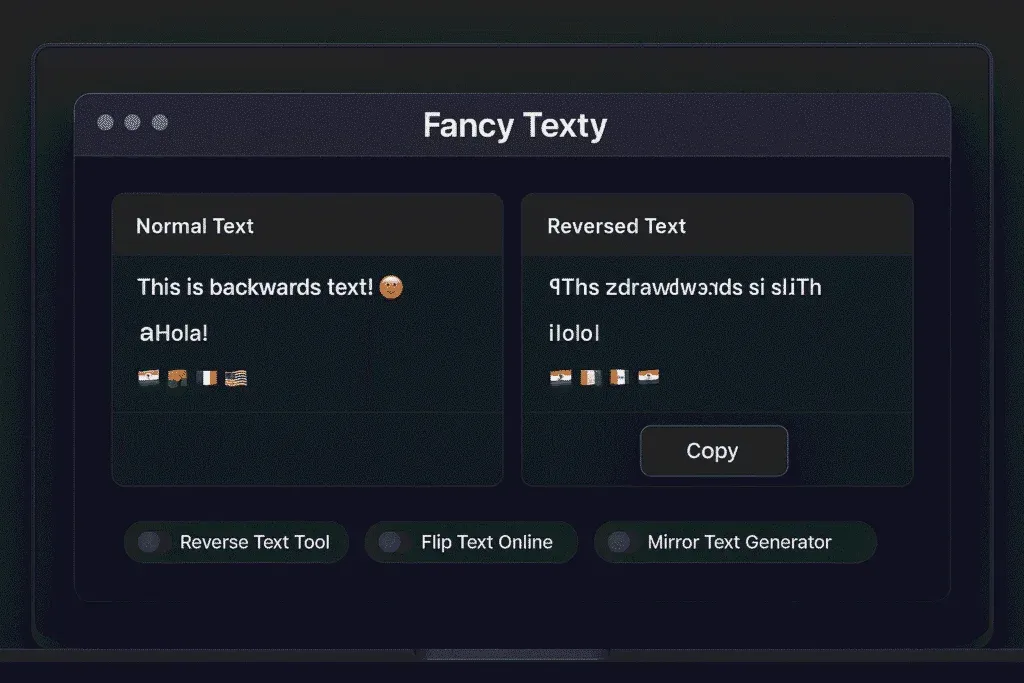
- Copy into the backwards text converter – Use a reverse text tool that is unicode safe.
- Toggle options – Flip text online, mirror words, or invert per line based on your goal.
- Preview – Check punctuation, numbers, and emoji.
- Copy paste – Use the copy paste tool button and drop it into your app.
- Final check – Read it aloud forwards to catch typos.
This is quick, and it just works. I use it daily for captions and UI tests.
Pro tips from hard lessons
- Keep numbers readable – Sometimes reverse words but keep digits normal for clarity.
- Use separators – Long mirrored text is tiring. Add line breaks or bullets.
- Mind accessibility – Provide a normal-text alternative in alt or caption.
- Cache versions – Save both original and reversed text. Future you will smile.
- Limit length – Reverse text in short bursts. It’s a stunt, not a novel.
Tools and settings I recommend
- Reverse text tool – Must be unicode aware and grapheme safe.
- Mirror text generator – Useful for fancy headers or artful banners.
- Invert text per word – Keeps sentence structure readable while adding style.
- RTL text support – If you work with Arabic or Hebrew, enable bidi helpers.
- Clipboard helpers – One-click copy keeps your flow snappy.
Advanced Use Cases You’ll Love
Let’s go beyond simple flips. Here are practical scenarios I’ve shipped or tested.
Design and marketing
- Create mirrored pull quotes for hero images.
- Pair reversed headlines with subtle reflections for a premium vibe.
- Use fancy text sparingly so it pops instead of annoying.
Mini checklist for marketers:
- Limit reversed text to 1-2 short lines.
- Keep CTAs normal for conversion.
- Test on mobile and dark mode.
Dev and QA testing
I push interfaces hard with odd strings. Reversing exposes assumptions in code.
- Break naive truncation by mirroring long labels.
- Test form validation with mixed scripts.
- Verify PDF export handles unicode reverser output.
Bug-prone spots:
- Input masks that expect LTR only
- Tooltip clipping on tight containers
- Search indexing that strips combining marks
Education and puzzles
Teachers and creators make fun worksheets using inverted clues. Kids giggle, then think. Pair the backwards text converter with:
- Palindrome checker for wordplay
- Text transformer to alternate casing
- Flip text online to rotate per line for multi-step hints
Final Thoughts on Backwards Text
We covered fundamentals, workflows, and creative ideas. A solid backwards text converter saves time, keeps unicode safe, and looks cool when used with care. The goal is clarity with a twist, not chaos.
Remember these takeaways:
- Choose a unicode reverser with grapheme awareness
- Lean on RTL text support when needed
- Keep copy paste friction low so you move fast
Use mirrored strings for flair, testing, or puzzles. I’ve messed up enough times to know what breaks. Now you won’t. Have fun flipping.
Frequently Asked Questions
Q1: What is a backwards text converter and how does it work?
A1: It’s a tool that reverses the order of visible characters to produce mirrored text. Good tools handle unicode graphemes, emoji, and accents, so the output looks correct across apps and remains readable in most modern interfaces.
Q2: Is reversed text good for SEO or only for fun?
A2: Reversed text is mainly for creativity, testing, or puzzles. Search engines value clarity, so keep key headings and CTAs normal. Use mirrored snippets in images or short sections, and always provide readable context for users and bots.
Q3: How do I keep emojis intact when I reverse text online?
A3: Use a unicode aware reverse text tool that treats emoji sequences as single graphemes. It should respect ZWJ joins, skin tones, and modifiers. Quick rule of thumb – if family or flag emojis break apart, switch tools immediately.
Q4: Can I reverse only words but keep sentence order the same?
A4: Yes. Many text transformer tools offer modes to invert each word while preserving word order. This keeps readability higher for long sentences, and it’s great for social posts where you want style without total confusion.
Q5: Does reversed text support Arabic or Hebrew with RTL text support?
A5: It can, but you need bidi aware handling. Pick a converter that inserts or preserves direction marks and does not scramble punctuation. Always preview on real devices because some fonts and apps render RTL differently.
Q6: What’s the safest way to copy paste mirrored strings into apps?
A6: Use a copy paste tool button in the converter, then verify in a scratch note. Check spacing, numbers, and links. For long posts, paste as plain text first to avoid hidden formatting that might shift direction or break layout.
Q7: Are palindromes the same as reversed text?
A7: Not exactly. A palindrome reads the same forwards and backwards, while reversed text is simply flipped output. You can use a palindrome checker with a backwards text converter to explore which phrases are truly symmetric.
Q8: When should I avoid flipping text entirely?
A8: Skip it for forms, legal disclaimers, and accessibility critical content. Screen readers may struggle, and users need clear instructions. Keep the fun for headings, art, and testing, then link or show the normal version nearby.
Q9: Can I automate reversing in a workflow?
A9: Sure. Many teams script a unicode reverser in build steps to generate test strings. Designers also keep presets in their mirror text generator for quick hero lines. Automation saves time and keeps quality consistent.
This article covers backwards text converter, reverse text tool, flip text online, mirror text generator, invert text, Unicode reverser, RTL text support, palindrome checker, copy paste tool, text transformer, and fancy text.
If you have anything to share with us, please Contact Us from here.